
How do i hide the price of a free service?
A
Written by Appointo
Updated June 1, 2026
If you are selling free services in Shopify you can easily hide the price of the free service in your theme. To do that
-
Please go Themes -> Customise
-
From the dropdown on the top and select the Product Page
-
Select the product template of your choice
-
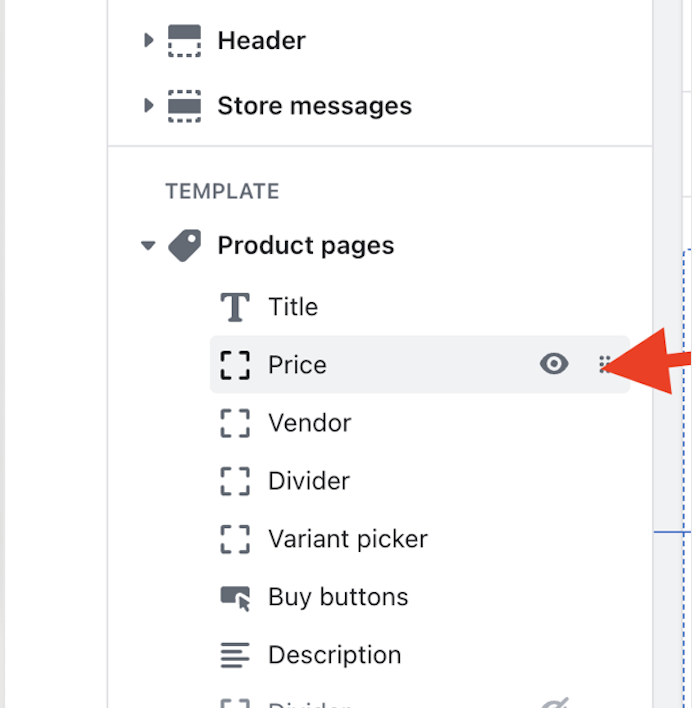
Hide the price by clicking on the eye icon as per the screenshot below
ℹ️
The price will be hidden for all the services in your store. If you want to do it for a single service you can create a new template for that service and hide it
Was this article helpful?
Thanks for your feedback!