
How do i setup digital appointments?
A
Written by Appointo
Updated May 30, 2026
Appointo supports making appointments and adding Google Meet / Microsoft Teams / Zoom Links to your bookings. Through this you would be able to sell digital appointments or online appointments in your store. To do so follow the steps below
-
Connect your Google / Outlook / Zoom as per your requirements
-
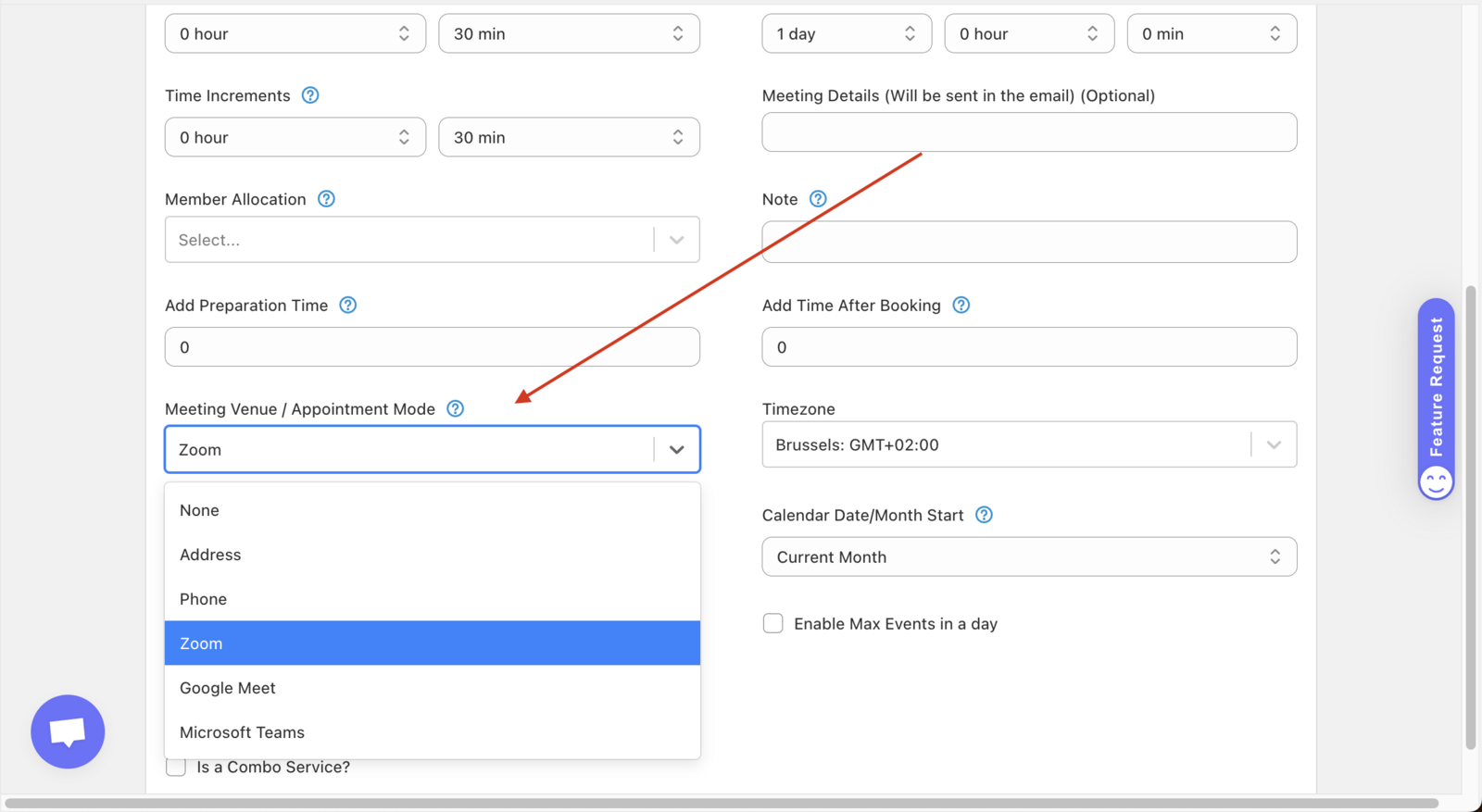
Go to Appointments -> Click on the appointment -> Scroll to Meeting Venue / Appointment Mode -> Select Google Meet / Microsoft Teams / Zoom as the options
After this all your bookings for the service will have the link attached and this is how you see digital appointments
Was this article helpful?
Thanks for your feedback!